Common Load unpacked errors
| What Chrome says | What it usually means | Fix |
|---|---|---|
| Manifest file is missing or unreadable | You picked a folder without manifest.json directly inside | Pick the inner folder, or the build output folder (often dist or build) |
| Could not load manifest | manifest.json has a typo or isn’t valid JSON | Download the release again; don’t edit the manifest by hand |
| An error about the "manifest_version" key | There’s no manifest_version — often a source folder, not a built extension | Use the release asset the author built for installing |
| An error or warning about Manifest version 2 | It’s an old MV2 extension | Ask the author for a Manifest V3 version; Chrome no longer runs MV2 |
| The Load unpacked button is missing | Developer mode is off, or an administrator has disabled it | Switch Developer mode on; on a work computer, ask IT |
Load unpacked vs installing the ZIP or CRX directly
Load unpacked is built for developers who edit the code and reload. If you only want to use the extension, CRX Starter takes the .zip or .crx as it is. You install the extension from the ZIP or install the .crx in five steps; either way it runs inside CRX Starter, which comes from the Chrome Web Store.
| Load unpacked | CRX Starter | |
|---|---|---|
| Accepts | A folder | The .zip or .crx as it is |
| Developer mode | Must stay on | Off |
| Folder to keep on disk | Yes | No |
| Permissions shown before it runs | No — it loads at once | Yes — sites, browser features, own settings |
| Edit files and reload | Yes — what it’s for | No — drop a new version in |
| Warning when Chrome starts | Possible — see why Chrome warns about developer mode extensions | No |
| Several at once | Yes | One package at a time |
Handing a build to testers? Share an install link
If you’re the developer, asking twelve testers to unzip, switch on Developer mode and load your build is where most of them get stuck. If the build is Manifest V3, host the .crx or .zip at an https address and share a crxstarter.com/add link instead. Only download_url is required; name and by appear on the check, update_url turns on daily update checks, and success_url says where to send people after installing.
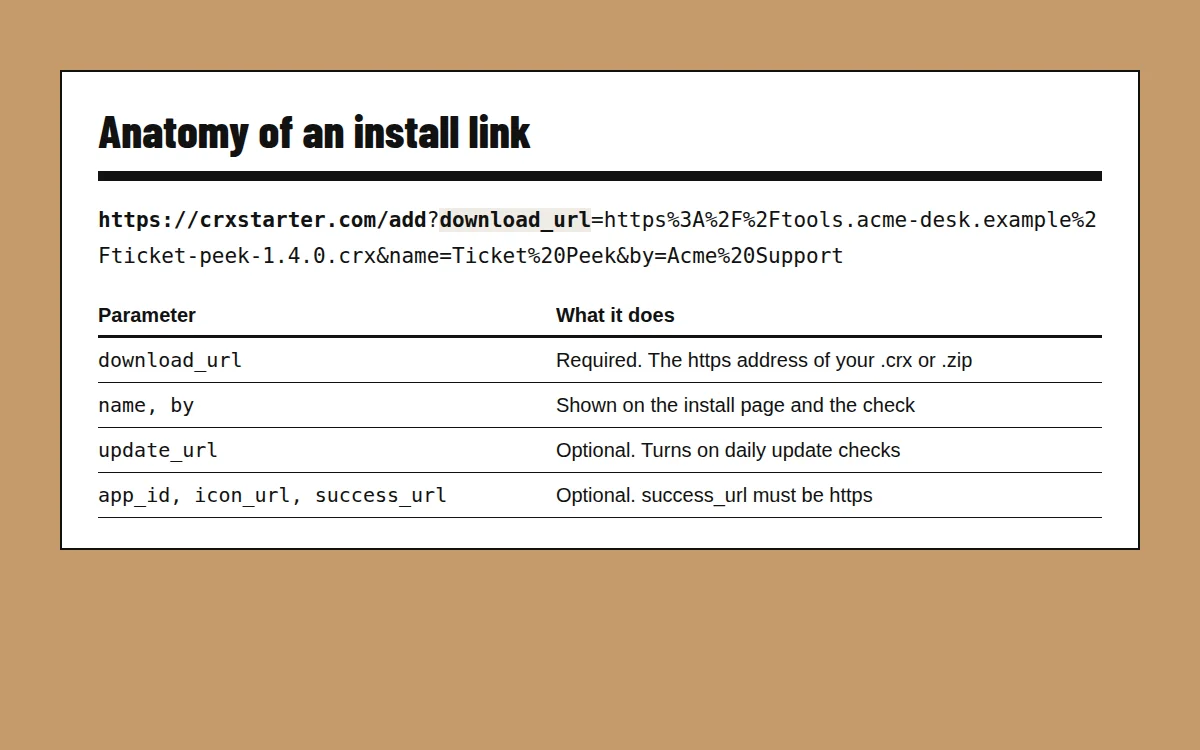
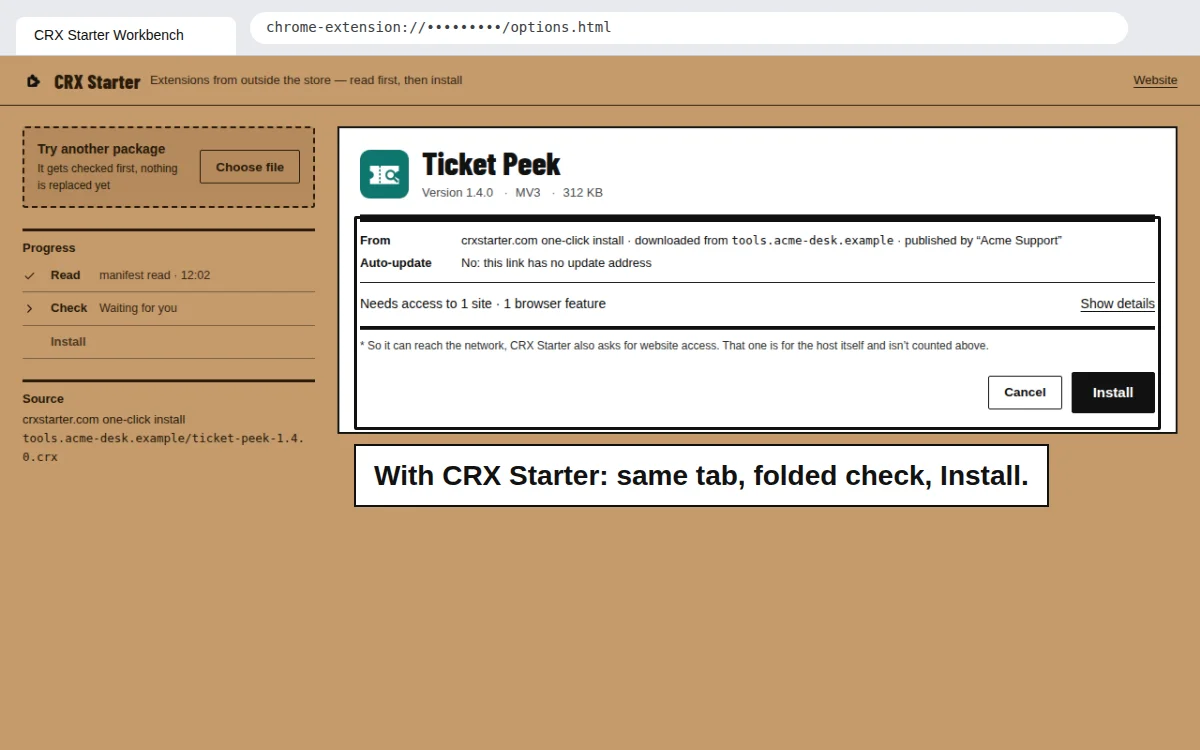
Example: https://crxstarter.com/add?download_url=https%3A%2F%2Ftools.acme-desk.example%2Fticket-peek-1.4.0.crx&name=Ticket%20Peek&by=Acme%20Support. People with CRX Starter go straight to the check, folded into one line, with an Install button; people without it are sent to add CRX Starter first, and crxstarter.com/ready picks the install back up.