
Why Chrome blocks .crx files
Since Chrome 75, a .crx file must carry a signature from the Chrome Web Store before Chrome will install it directly. Files packed by a developer, exported from another browser or saved from an old download don’t have that proof, so Chrome stops with CRX_REQUIRED_PROOF_MISSING. The rule protects people from extensions slipped in by other software — and it also blocks the internal tools and test builds you actually meant to run. If you want the full story, here is why Chrome rejects the file.
The old way: Developer Mode
Chrome’s own workaround is to unpack the .crx (rename it to .zip and extract it), open chrome://extensions, switch on Developer mode and click Load unpacked — here is the Load unpacked route step by step. It works, but it has costs: you have to keep the unpacked folder forever, Chrome can warn you about developer-mode extensions when it starts, and at no point does it explain in plain words what the extension can do.
| Developer Mode | CRX Starter | |
|---|---|---|
| Accepts a .crx as it is | No — unpack it first | Yes |
| Developer Mode switched on | Yes | No |
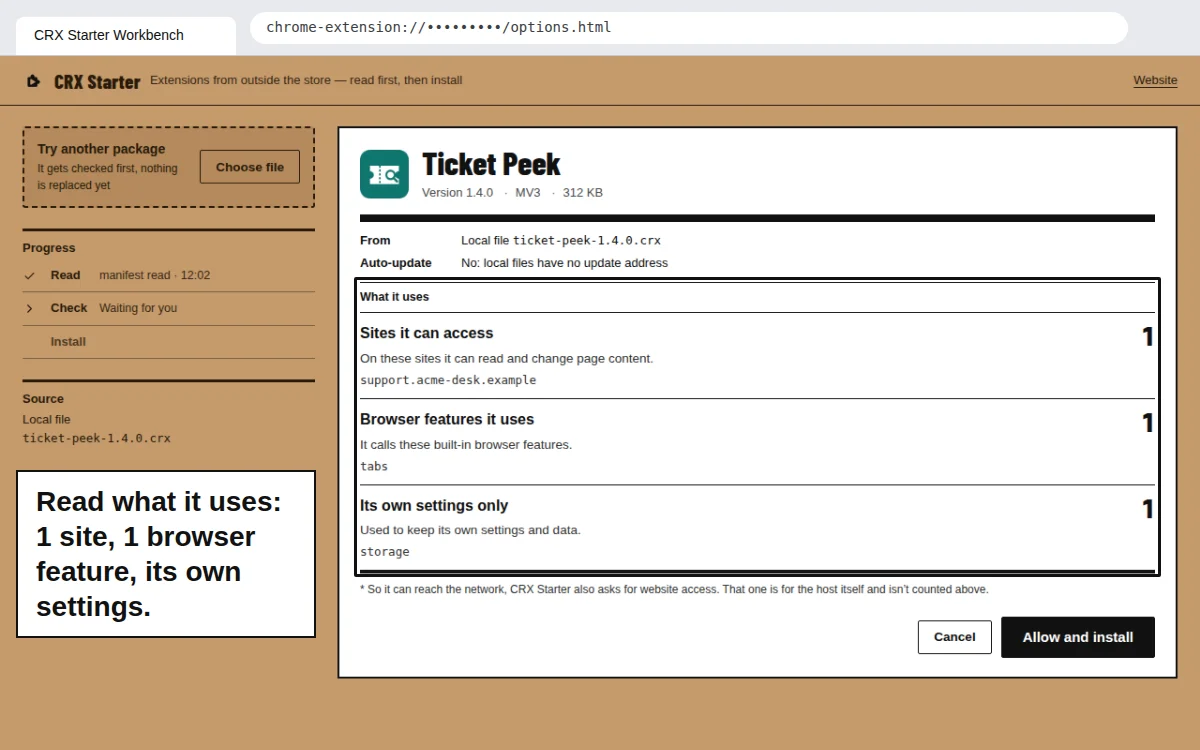
| Permissions explained before install | No | Yes — sites, browser features, own settings |
| Folder you must keep on disk | Yes | No |
| Shows in chrome://extensions | Yes | No — managed in the workbench |
If the extension was removed from the store
People often keep a .crx of an extension that later disappeared from the Chrome Web Store. If it’s Manifest V3, CRX Starter installs it the same way. Before you click, think about why it was removed: store takedowns happen for policy and security reasons as well as for abandoned projects. The check shows you exactly what it uses.
Removing it later
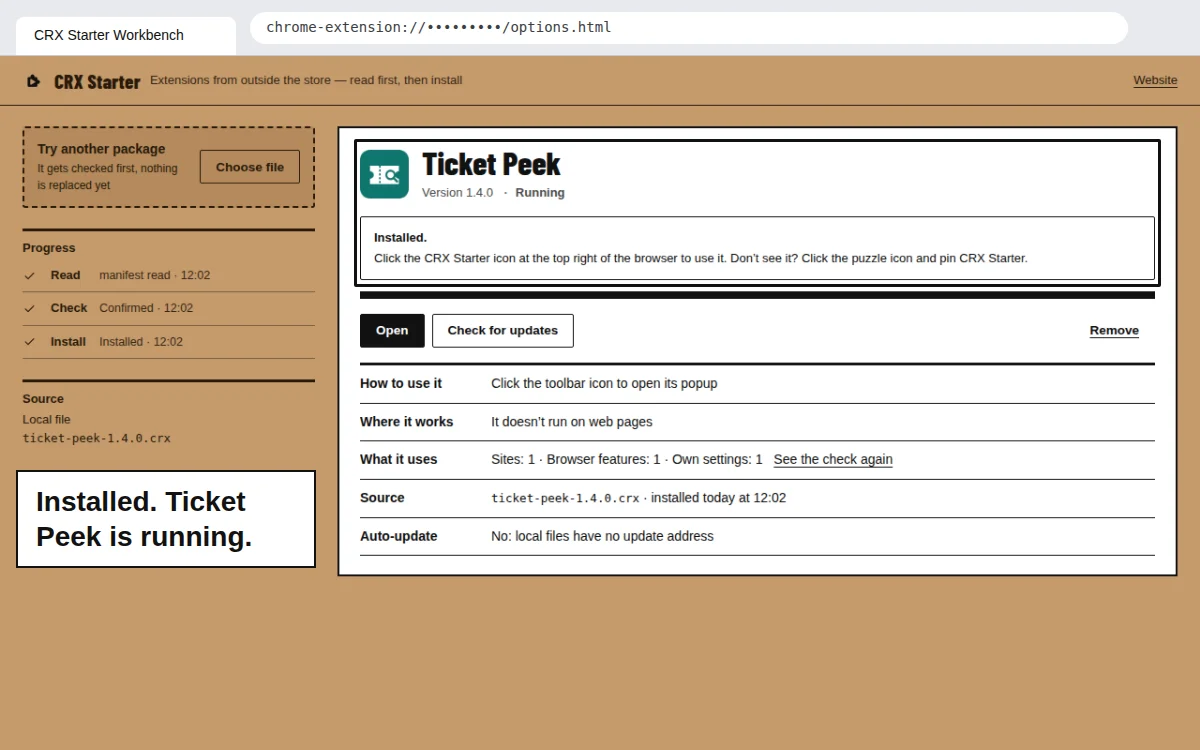
Open the workbench and click Remove, then confirm. The package’s files and the data it saved are cleared, and the toolbar icon goes back to CRX Starter’s own. To install a different package, just drop it in — CRX Starter runs one package at a time and asks before replacing the current one.
Got a .crx Chrome won’t take?
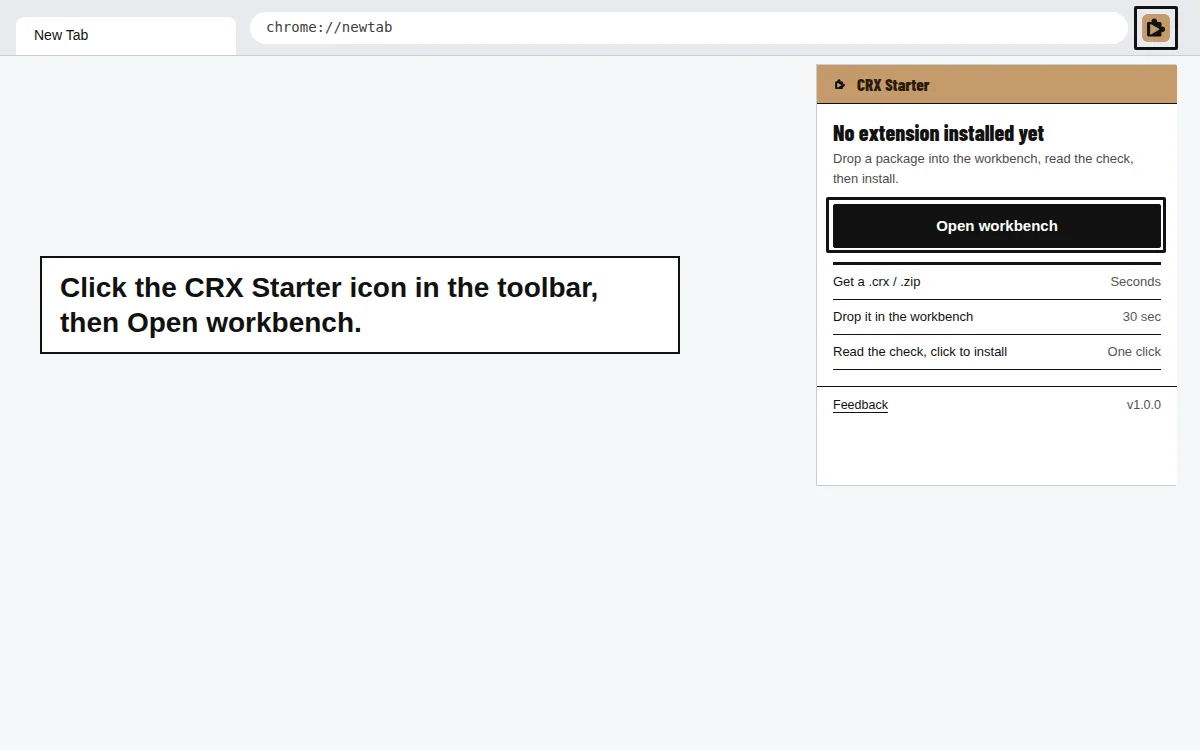
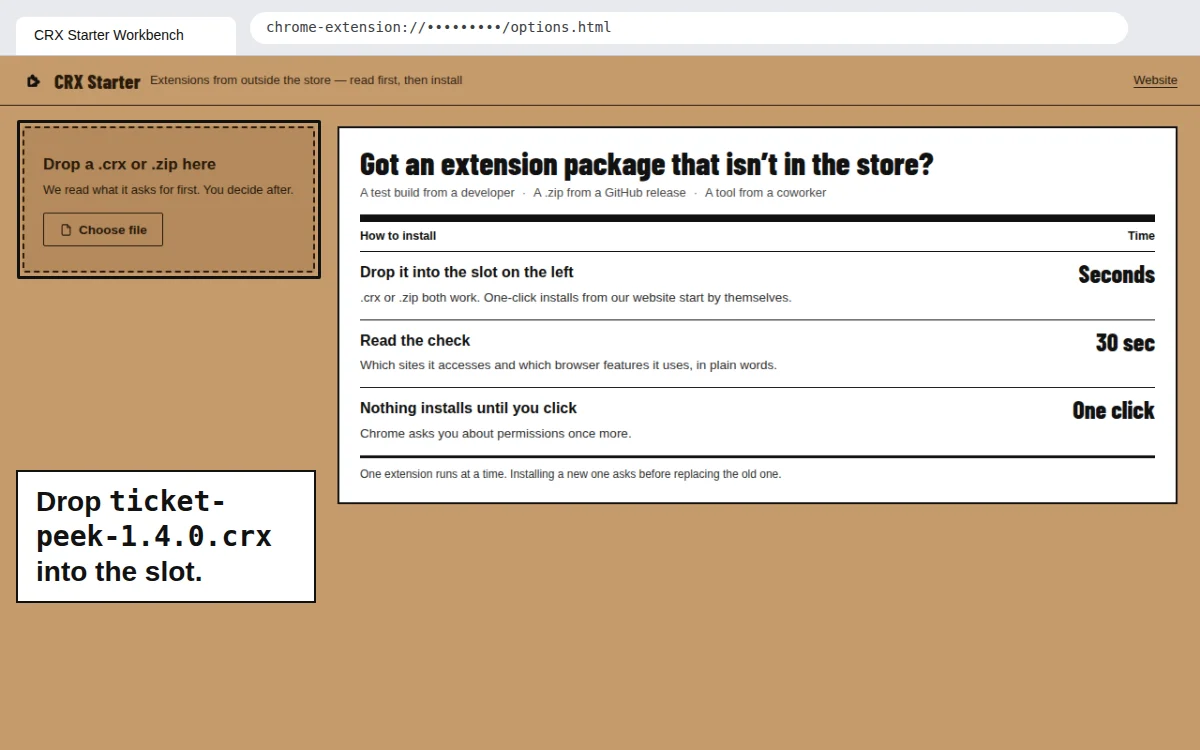
Add CRX Starter, drop the file in, and read the check before you say yes.
Add to Chrome — It's Free